Buying a security camera is easier than ever, but choosing the right one can be surprisingly difficult. With so many brands, resolutions, AI features, storage options, and smart home integrations available, it’s easy to purchase a camera that doesn’t fully meet your needs.
Whether you’re protecting your home, monitoring pets, checking on children, or securing a business, selecting the right security camera requires more than simply comparing prices. Factors such as image quality, night vision performance, motion detection, storage options, and installation location all play an important role in overall performance.
This Smart Home Security Checklist covers the 15 most important factors you should consider before buying a security camera, helping you make a smarter purchasing decision and avoid common mistakes.
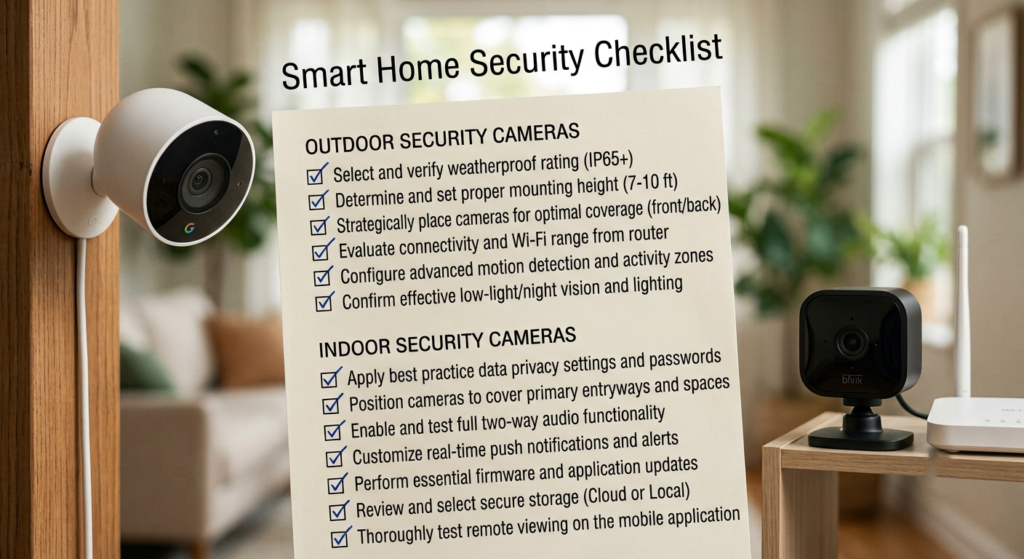
Alt: Smart home security checklist with indoor and outdoor security cameras
1. Choose the Right Camera Type
Start by deciding where the camera will be installed.
- Indoor Camera
- Outdoor Camera
- Doorbell Camera
- Floodlight Camera
- PTZ (Pan & Tilt) Camera
- Wire-Free Battery Camera
- PoE Security Camera
Different locations require different camera designs. For example, outdoor cameras need weather protection, while indoor cameras often prioritize compact size and privacy features.
2. Select the Right Resolution
Higher resolution means more detail.
Common options include:
- 1080p Full HD
- 2K QHD
- 3K
- 4MP
- 5MP
- 4K Ultra HD
For identifying faces and license plates, 2K or higher is generally recommended.
3. Check Night Vision Performance
Night vision is one of the most important features.
Look for cameras that offer:
- Color Night Vision
- Infrared Night Vision
- Starlight Sensor
- Spotlight-Assisted Night Vision
A camera is only as good as its performance after dark.
4. Look for AI Detection
Modern security cameras can distinguish between different types of movement.
Useful AI features include:
- Person Detection
- Vehicle Detection
- Pet Detection
- Package Detection
- Face Recognition
- Baby Crying Detection
AI helps reduce false alerts caused by rain, shadows, or moving trees.
5. Decide Between Local and Cloud Storage
Before buying, consider how you want to store your recordings.
Common storage options include:
- microSD Card
- NVR Recording
- HomeBase Storage
- NAS Storage
- Cloud Storage
Many cameras now support local recording without requiring a monthly subscription.
6. Consider Wi-Fi or Wired Installation
Choose a camera that matches your home network.
Options include:
- Wi-Fi Cameras
- Ethernet Cameras
- PoE Cameras
- Battery-Powered Cameras
Each option has advantages depending on your installation requirements.
7. Evaluate the Camera’s Field of View
A wider viewing angle reduces blind spots.
Some cameras also include:
- Pan & Tilt
- Optical Zoom
- Auto Tracking
These features can cover much larger areas than fixed cameras.
CTA: 🛒 Browse Recommended Security Cameras on Amazon
8. Check Weather Resistance
If you’re installing a camera outdoors, make sure it has a suitable weatherproof rating.
Look for ratings such as:
- IP65
- IP66
- IP67
These ratings indicate the camera can withstand rain, dust, and changing weather conditions. Choosing an outdoor-rated camera helps ensure long-term reliability.
9. Consider Audio Features
Many modern security cameras include built-in microphones and speakers.
Useful audio features include:
- Two-Way Audio
- Noise Reduction
- Built-in Siren
- Voice Alerts
Two-way communication allows you to speak with visitors, delivery drivers, or family members directly through the camera.
10. Think About Smart Home Compatibility
If you already use smart home devices, make sure your camera integrates with your existing ecosystem.
Popular platforms include:
- Amazon Alexa
- Google Assistant
- Apple HomeKit
Smart home integration lets you view live feeds on compatible smart displays and use voice commands for quick access.
11. Compare Battery vs Wired Cameras
Each power option has advantages.
Battery Cameras
- Easy to install
- Flexible placement
- No power cable required
Wired Cameras
- Continuous power
- 24/7 recording
- No battery charging
Choose the option that best fits your installation environment.
12. Check the Mobile App
The mobile app is one of the most important parts of any security camera system.
A good app should offer:
- Live View
- Instant Notifications
- Video Playback
- Motion Settings
- User Management
- Firmware Updates
A reliable app can greatly improve your overall experience.
13. Understand Subscription Costs
Not every security camera requires a monthly subscription.
Before purchasing, check whether the camera offers:
- Free Local Storage
- Optional Cloud Storage
- Premium AI Features
- Cloud Recording Plans
Many excellent cameras from brands like Reolink, Tapo, and Eufy allow local recording without mandatory monthly fees.
14. Compare the Total Cost
Don’t focus only on the camera’s purchase price.
Also consider:
- Memory Card
- HomeBase or NVR
- Mounting Accessories
- Optional Cloud Subscription
- Solar Panel (for battery cameras)
Calculating the total cost helps you avoid unexpected expenses later.
15. Buy from a Trusted Brand
Well-established manufacturers typically provide:
- Better software support
- Frequent firmware updates
- More reliable mobile apps
- Longer product support
- Better customer service
Some of the most trusted brands include:
- Tapo
- Reolink
- Eufy
- Wyze
- Blink
- Arlo
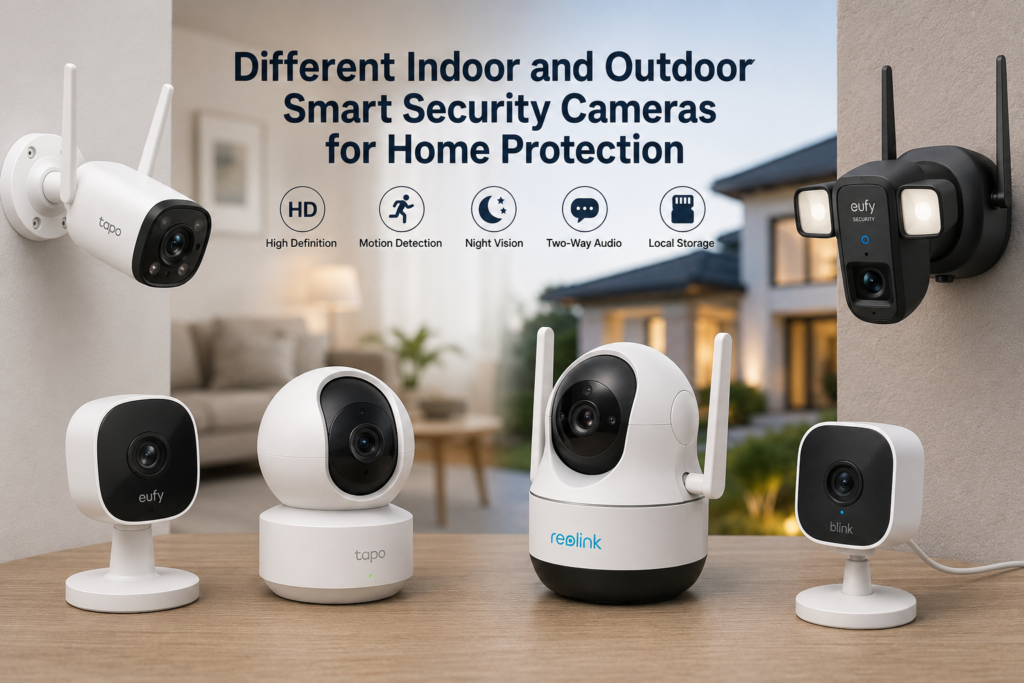
Alt: Different indoor and outdoor smart security cameras for home protection
Quick Buying Checklist
Before purchasing your next security camera, make sure you have considered:
- ✅ Camera Type
- ✅ Resolution
- ✅ Night Vision
- ✅ AI Detection
- ✅ Storage Options
- ✅ Installation Method
- ✅ Field of View
- ✅ Weather Resistance
- ✅ Audio Features
- ✅ Smart Home Compatibility
- ✅ Battery or Wired Power
- ✅ Mobile App Quality
- ✅ Subscription Costs
- ✅ Total Ownership Cost
- ✅ Brand Reputation
Final Thoughts
Choosing the right security camera doesn’t have to be complicated. By following this checklist, you’ll be able to compare cameras more effectively and focus on the features that matter most for your home.
Instead of choosing a camera based only on price, consider how you’ll use it, where it will be installed, and which features will improve your daily security. A well-chosen camera can provide years of reliable protection and greater peace of mind.
CTA: 🚀 Compare Top-Rated Security Cameras on Amazon
Frequently Asked Questions
What is the most important feature in a security camera?
There isn’t a single most important feature, but image quality, reliable night vision, AI detection, and storage options are among the top factors to consider.
Is 2K better than 1080p?
Yes. 2K cameras capture more detail than standard 1080p models, making it easier to identify faces and other important objects.
Should I choose local storage or cloud storage?
Local storage is often the best option if you want to avoid monthly fees, while cloud storage offers off-site backups and remote access to recordings.
Do I need AI detection?
Yes. AI detection significantly reduces false alerts by distinguishing between people, vehicles, pets, and other motion events.
- Home Security Camera Buying Guide
- Best Indoor Security Cameras
- Best Outdoor Security Cameras
- Best 4K Security Cameras
- Best Security Cameras Under $100